How do I customize the "Additional Information" tab?
This article is intended for school administrators or management.
This tab allows you to add custom questions. If you would like to include additional questions in the registration form, please forward them to technical support. Agents will integrate them into your form.
To contact support, see this article.
To contact support, see this article.
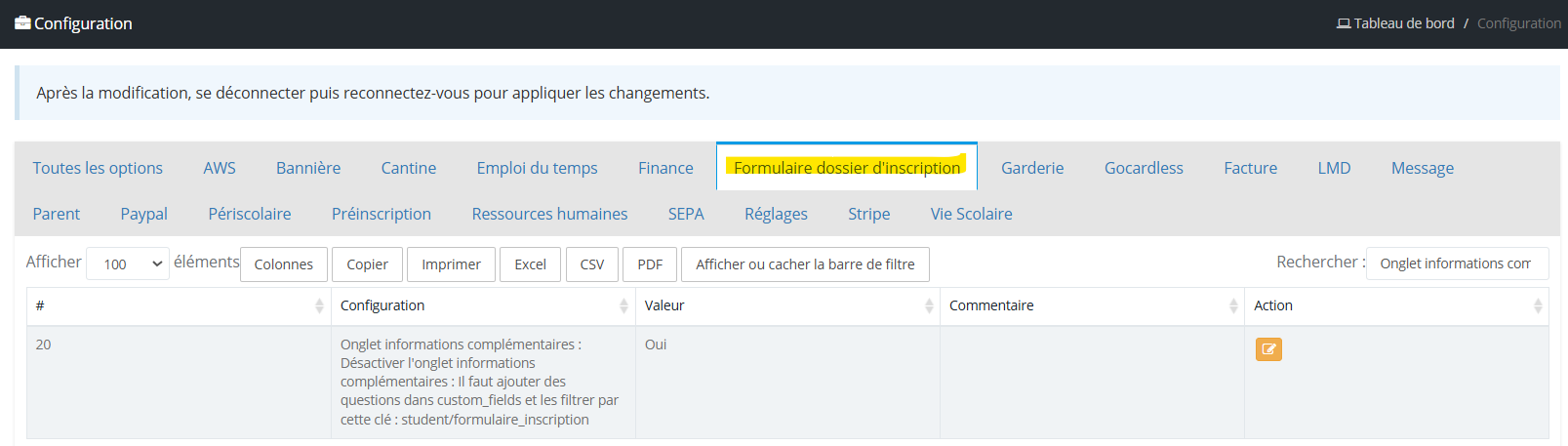
To customize the additional information, go to the "Settings" module, open the "Configuration" menu, then select the "Registration file form" tab .
Activation / deactivation of the "Additional information" tab
This tab can be displayed or hidden depending on the needs of the property. To do this, use the option "Additional information tab: Disable the Additional Information tab: Questions must be added in custom_fields and filter them with this key: student/registration_form"
Customization of the wording of the "Additional information" tab
Customization of the wording of the "Additional information" tab
Use the option "Additional information tab: customize the title of the Additional Information tab" to change the label of this tab
Here is an example of the interface of the "Additional Information" tab.
Message to Agent MyScol
👉 Questions must be added in custom_fields and filter them with this key: student/form_registration